ChatTemplate - MCP
Overview
Model Context Protocol (MCP) is an open protocol from Anthropic for standardized access to resources by models. Eino provides wrappers so you can directly access resources served by an existing MCP Server.
This section introduces the MCPPrompt wrapper, which implements Eino’s ChatTemplate interface (Eino: ChatTemplate Guide).
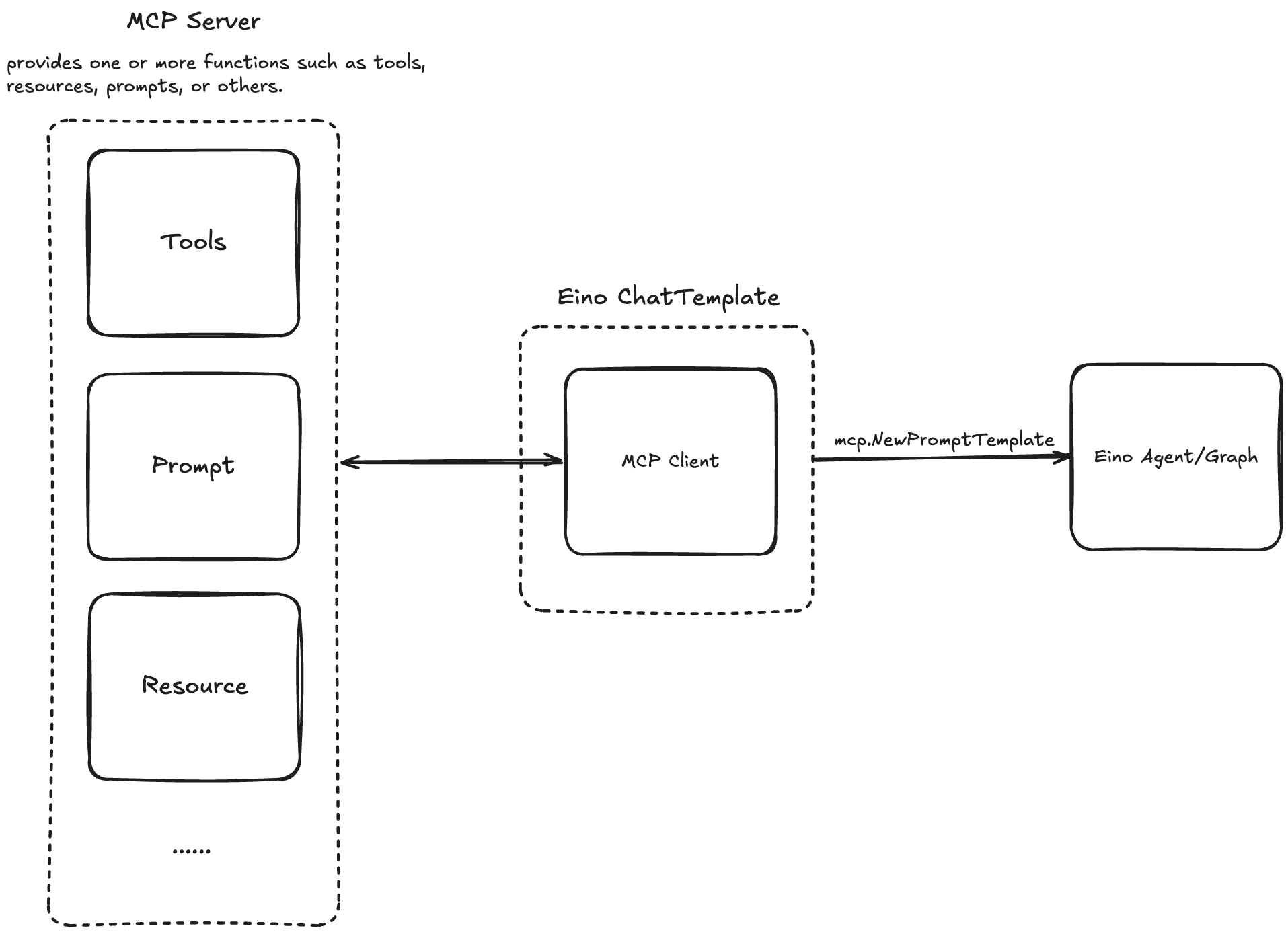
Also see: Tool - MCP
Usage
First create an MCP client. Eino leverages the open-source SDK mark3labs/mcp-go:
import "github.com/mark3labs/mcp-go/client"

// stdio client
cli, err := client.NewStdioMCPClient(myCommand, myEnvs, myArgs...)

// sse client
cli, err := client.NewSSEMCPClient(myBaseURL)
// sse client needs to manually start asynchronous communication
// while stdio does not require it.
err = cli.Start(ctx)
Considering client reuse, the wrapper assumes the client has finished Initialize with the Server; you need to perform client initialization yourself:
import "github.com/mark3labs/mcp-go/mcp"

initRequest := mcp.InitializeRequest{}
initRequest.Params.ProtocolVersion = mcp.LATEST_PROTOCOL_VERSION
initRequest.Params.ClientInfo = mcp.Implementation{
    Name:    "example-client",
    Version: "1.0.0",
}
_, err = cli.Initialize(ctx, initRequest)
Then create the Eino ChatTemplate using the Client:
import "github.com/cloudwego/eino-ext/components/prompt/mcp"

tpl, err := mcp.NewPromptTemplate(ctx, &mcp.Config{
    Cli: cli,
    Name: "your prompt name",
})
The template can be invoked directly:
result, err := tpl.Format(ctx, map[string]interface{}{/* input k-v */})
Or used within any Eino Agent; for a simple LLM chain:
import (
    "github.com/cloudwego/eino/compose"
    "github.com/cloudwego/eino-ext/components/prompt/mcp"
)

llm, err := /*create a chat model*/
tpl, err := mcp.NewPromptTemplate(ctx, &mcp.Config{
    Cli: cli,
    Name: "your prompt name",
})

runner, err := compose.NewChain[map[string]any, *schema.Message]().
    AppendChatTemplate(tpl).
    AppendChatModel(llm).
    Compile(ctx)
More Information
Example: https://github.com/cloudwego/eino-ext/blob/main/components/prompt/mcp/examples/mcp.go